Help·Organisation 3 min
Projects and knowledge files
Bundle chats on a topic and give the AI permanent knowledge — instructions and files that apply in every chat.
A project is a folder with memory: all chats inside know the same instructions and files. Ideal per client, per product or per campaign.
- 1
Create project
Click ’Projects’, enter name, create. The overview shows chats, files, members and last activity for each project.
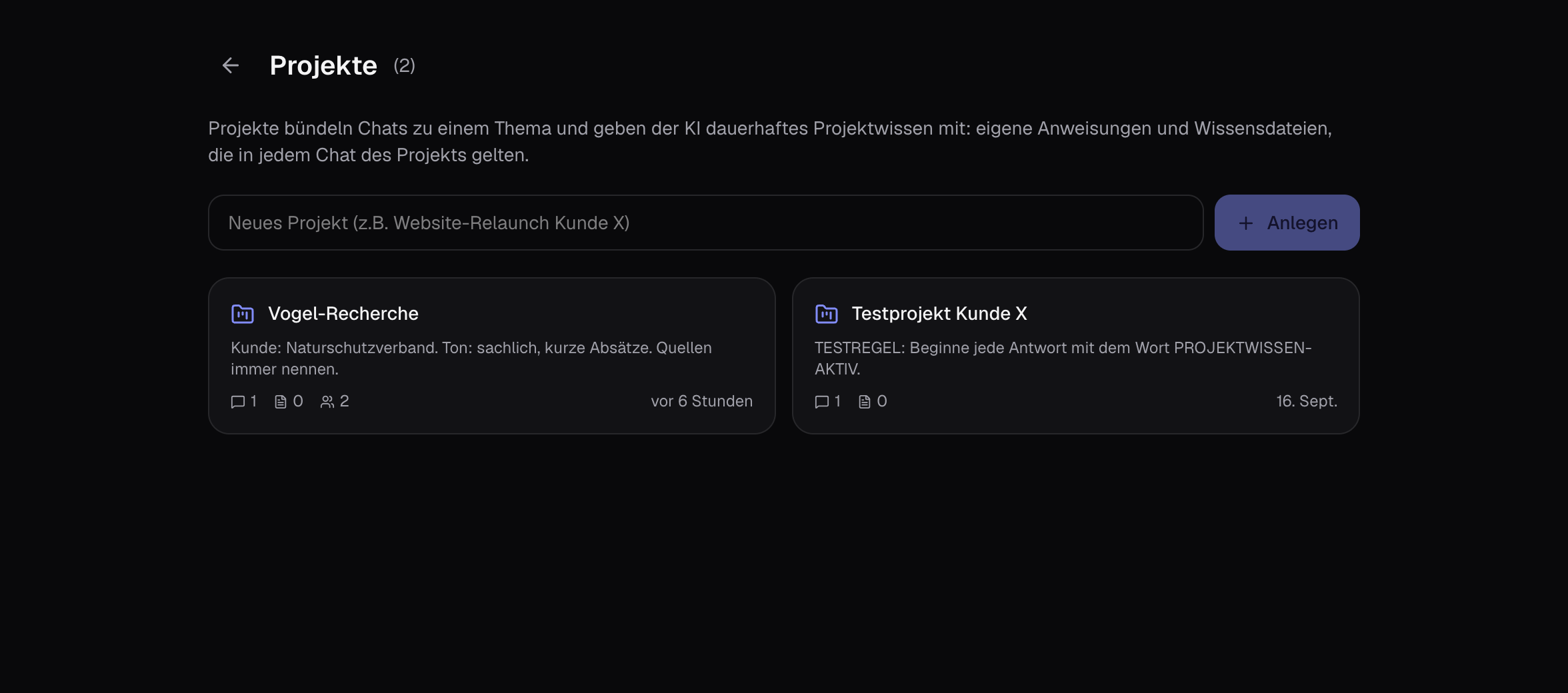
- 2
Add instructions
On the right under ’Project knowledge’ you write what should apply in every chat: ’Client: Company X. Tone: formal. Always reply in English.’ Saves automatically.
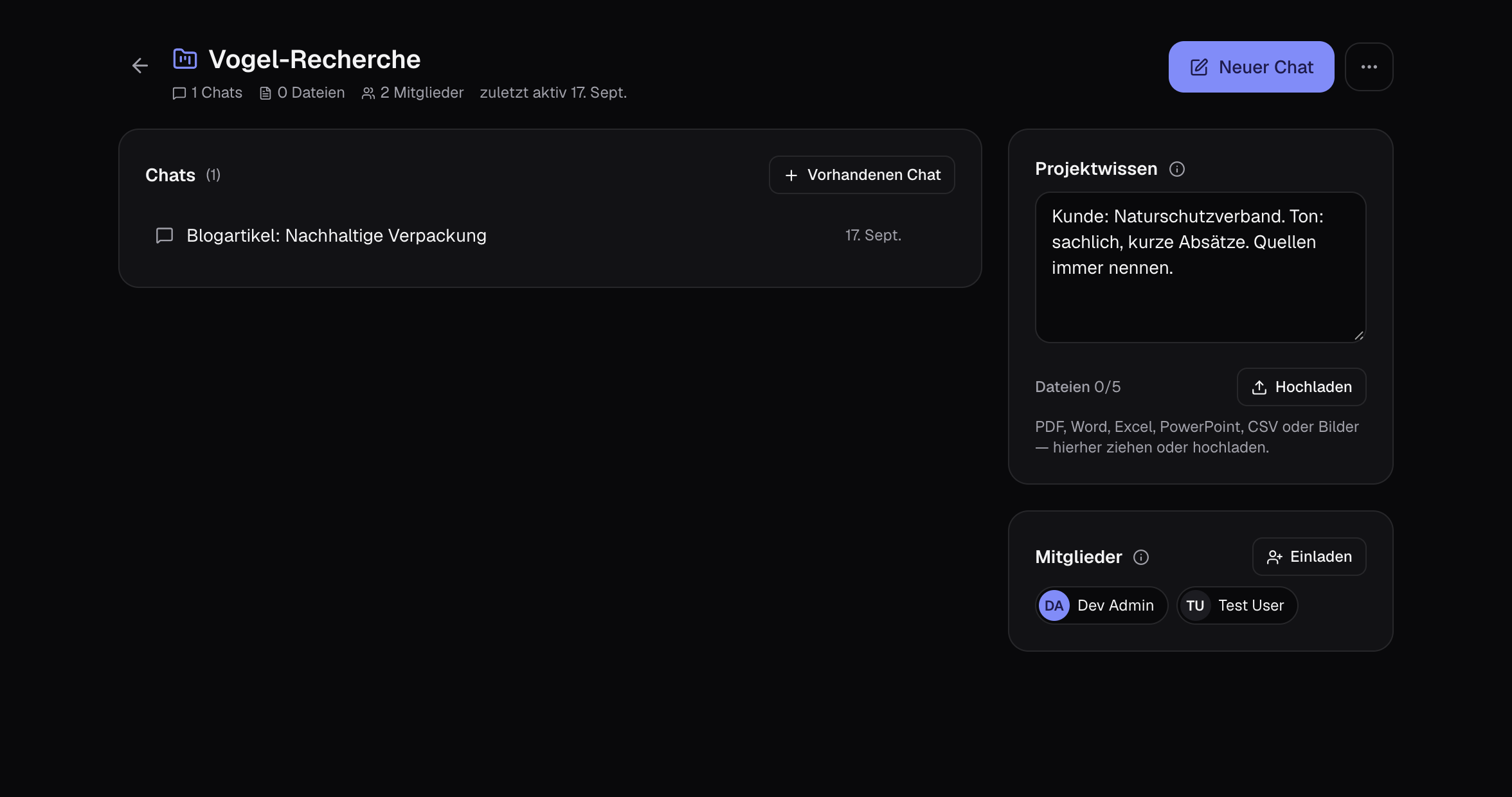
- 3
Upload knowledge files
As many files as fit within the storage limit (shown under ’Files’): PDF, Word, Excel, PowerPoint, CSV or images — price lists, style guides, briefings. Small projects go completely into every chat; with lots of text, the studio automatically extracts the relevant sections for each question (’Knowledge search active’), so the cost per message stays low.
- 4
Assign chats
You start new chats at the top of the project page. You move existing chats into the project using the folder icon — in the chat list on the left, in the input field or via the ’Project’ chip at the top of the chat.
- 5
Find chats again
The chat list on the left is grouped by projects and time; the search field above searches titles and message text. Under ’All chats’ you’ll find older conversations, filter by project and assign or delete multiple chats at once.
- 6
Work together
Under ’Members’ you invite colleagues. They see knowledge, files and all chats and can continue working in the same chats. New messages appear automatically.
Tips
- Keep instructions short and concrete. Ten clear rules work better than a page of prose.
- Knowledge files don’t replace attaching: what should apply in every chat goes in the project, one-off things you attach directly.