Help·Organisation 3 min
Create your own assistants
Fixed roles with instructions, main task and knowledge — the copywriter, the translator, the support bot.
An assistant is a saved character: instructions, suitable model and its own knowledge. Instead of explaining every time how the answer should look, you choose it in the model menu.
- 1
Create
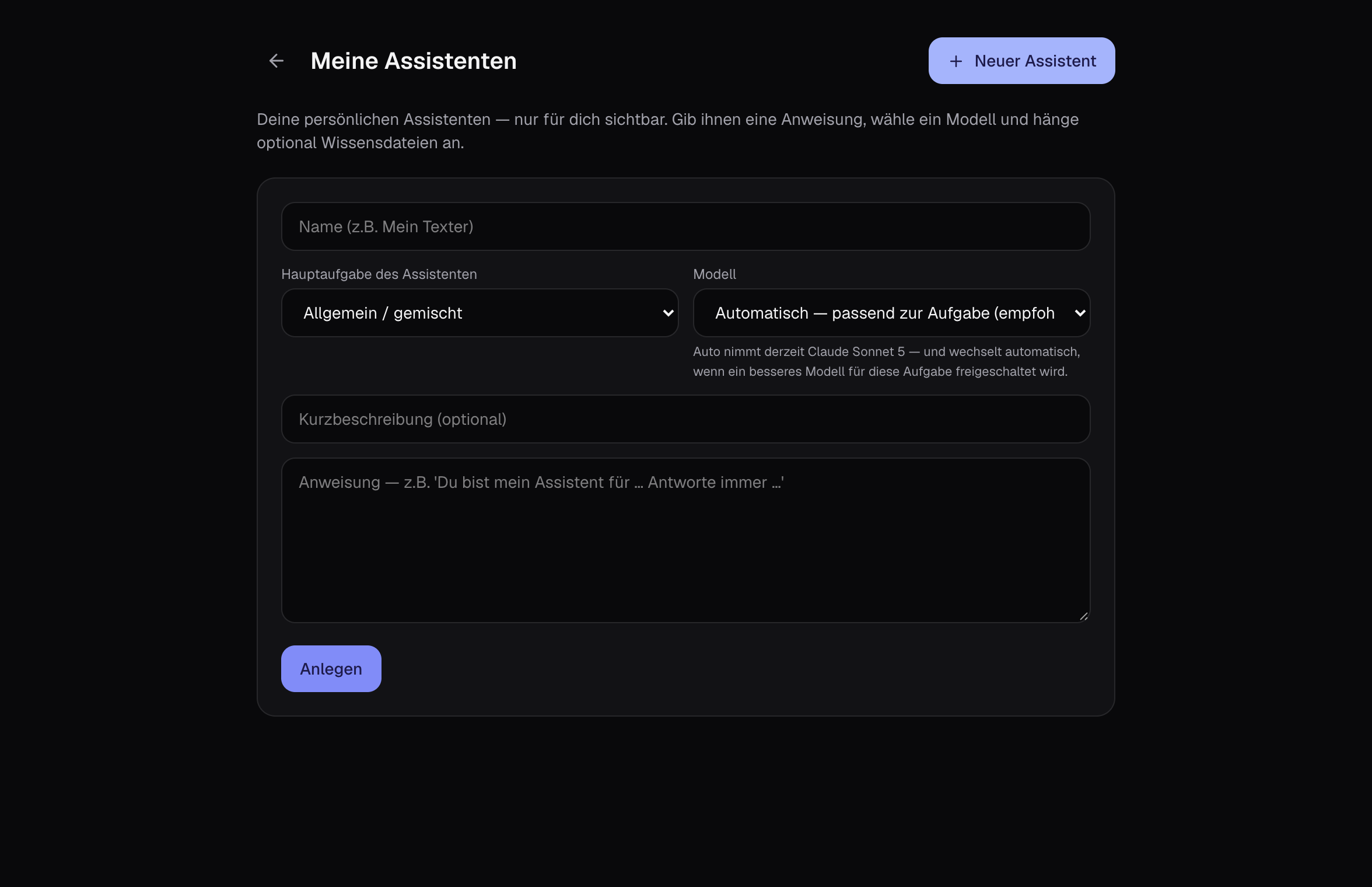
Create a new one on the left under ’My assistants’. Name, description and the instruction: role, tone, rules, examples.
- 2
Main task and model
Choose the main task — text, research, documents, programming, customer service and more. With ’Automatic’ the assistant takes the model that fits the task best and switches if overloaded.
- 3
Add knowledge
Upload knowledge files like product catalogue, tone guide or FAQ. The assistant refers to them without you attaching them every time.
- 4
Use
In the chat, select top left in the model menu under ’Assistants’. The assistant stays active for the chat.
Tips
- Team assistants are created by the admin and are available to everyone.
- For customer service assistants choose the main task ’Customer service’: fast, affordable models.