Safeguard: protect sensitive data
IBANs, names, addresses and passwords are masked before sending — the AI model only sees placeholders.
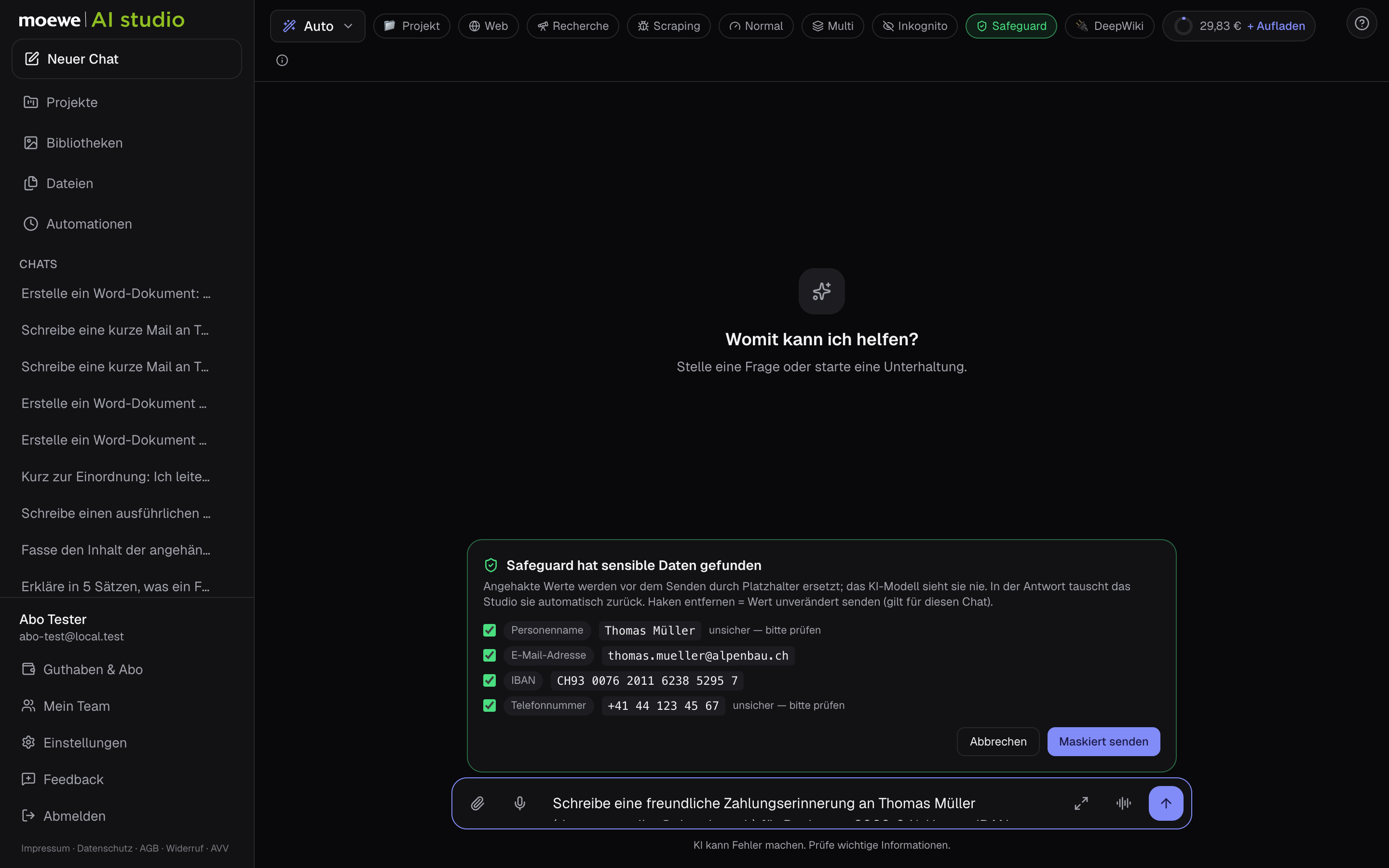
Safeguard checks every message on our server before it goes to an AI provider. Found data is replaced with placeholders and automatically swapped back in the response.
- 1
Switch on
The ’Safeguard’ chip in the control bar has three levels: off, automatic (masks without asking) and ask (shows findings first). You set the default in settings.
- 2
What’s detected
IBAN, card numbers, tax ID, email addresses, phone numbers, addresses, names and passwords. Names are recognised by a local model on our server — no external service.
- 3
For teams
Main accounts and admins can fix the Safeguard per person. Then it can’t be switched off.
Tips
- For false positives, such as company names recognised as people, simply deselect the finding in the ask level.
- PDFs and images aren’t masked, there’s only a warning — redact contracts beforehand.