Set up child profile
Age-appropriate responses, verified content and parental insight — set up in one minute.
A child profile is a sub-user with age level. Every message, every response and every image request is checked, responses match the age, and parents keep oversight.
- 1
Invite child
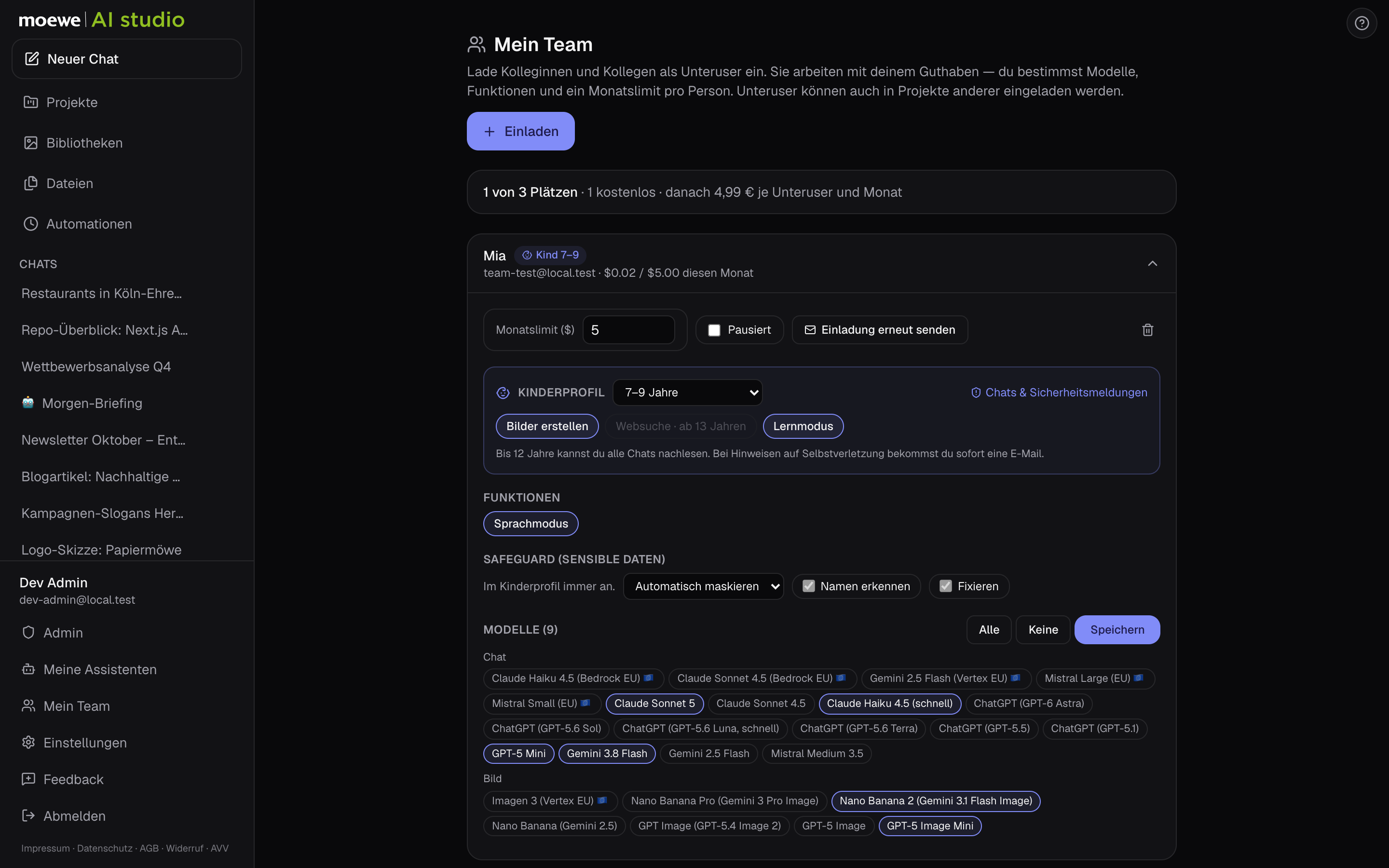
Under ’My Team’, invite the child as a sub-user with their own email address. Alternatively, you create the account yourself and pass on the login details.
- 2
Choose age level
In the child’s card, switch on ’Child profile’ and choose the level: 4–6, 7–9, 10–12, 13–15 or 16–17. The rest is automatically protected: no 18+ models, no permissions, safe models.
- 3
Permissions
Images from 7, attach photos from 10, web search from 13 — each as a switch. Learning mode explains the method rather than the solution for homework.
- 4
Parent view
Via ’Security alerts’ you see what was blocked or replaced — up to age 12 also all chats. For indications of self-harm you immediately receive an email, on request for every alert.
Tips
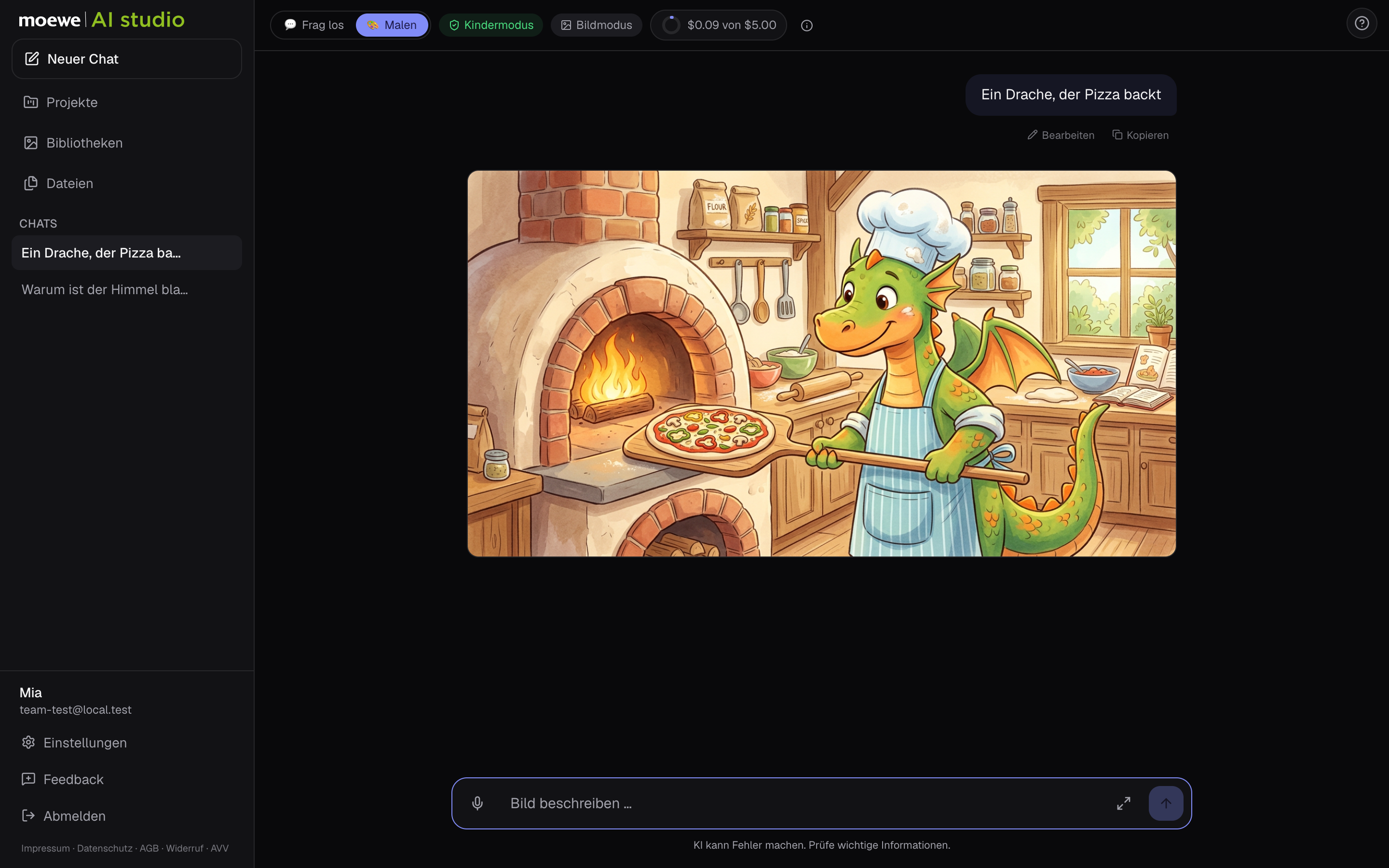
- The child sees a simplified interface: ’Ask away’ and ’Draw’, no models, no settings.
- Replies come in the language the child writes in.